- Recommended
- Country plan
- Region
- Asia-Pacific
- Major networks
- One NZ · Spark · 2degrees
- Country code
 NZ
Overview

New Zealand is a country-plan destination for most Canadian visits. One NZ, Spark and 2degrees are the major networks. Auckland, Wellington, Christchurch and Queenstown are generally usable. Road trips through national parks pass through long stretches without signal. Confirm the partner network, and download offline maps before you leave town.
Top Cities and Places in New Zealand
Auckland is the usual first city; Queenstown is the usual South Island hub, with Rotorua, Wellington or a Milford Sound or park day often added. Towns are generally usable on One NZ, Spark or 2degrees. National-park road trips can lose signal for long stretches. Download offline maps in Auckland or Queenstown before you leave town, and do not treat a travel eSIM as a mountain safety device.


Regions

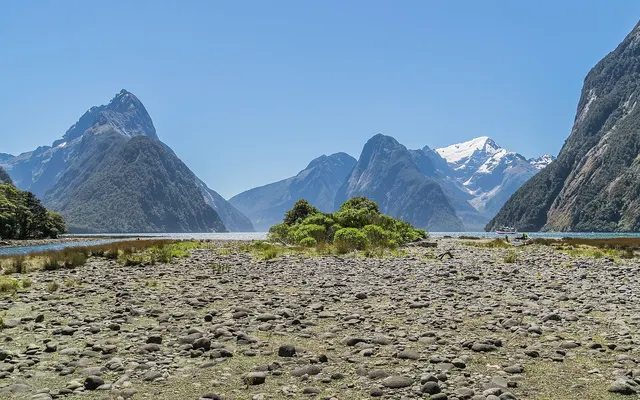
New Zealand is two main islands, and a first trip from Canada usually picks one island or a shortened version of both, rather than trying to see every range. The North Island includes Auckland — a common international arrival — the geothermal area around Rotorua, and, further south, Wellington, the capital. Some visitors also go to the far north, or to Tongariro, which is a hiking plan rather than a city plan. The South Island is the classic landscape itinerary: Christchurch as a gateway, then the west coast, the glaciers, Queenstown and the southern lakes, and, for some, Fiordland, including Milford Sound. Crossing between islands is a ferry or a short flight, and it is a real half-day, not a footnote.
Coverage is generally decent in Auckland, Wellington, Christchurch, Queenstown and the main towns, and more variable in the mountains, on some west-coast stretches, in Fiordland, and on smaller islands. You usually do not need a different eSIM product for Queenstown versus Auckland, but you should confirm the partner network — Spark, One NZ or 2degrees — if you will drive rural roads or hike. Download offline maps before every wilderness day, and do not treat a travel eSIM as a safety device on a track.
People and Demographics
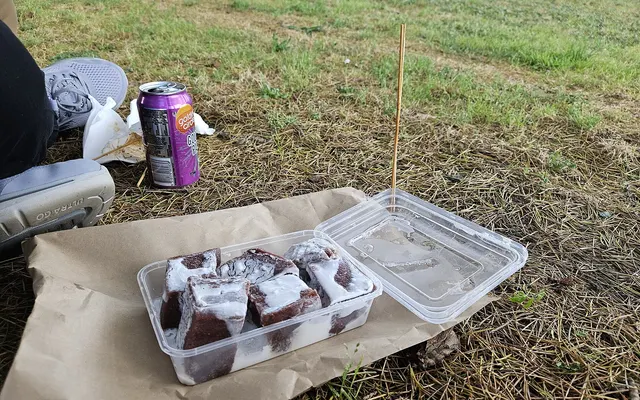
New Zealand has a population of around 5 million; confirm the latest official figure if you need a current total. English is the main language of daily life and travel. Māori is an official language and is visible in place names, ceremonies and public life; New Zealand Sign Language is also official. A visitor can travel in English almost everywhere, and a little care with Māori place names is appreciated. The population is religiously mixed, with a historically Christian majority, a large unaffiliated share, and other communities in the cities.
Auckland is the largest metro. Wellington is the capital; Christchurch is the main city of the South Island; Hamilton, Tauranga and Dunedin are among the other sizable cities; Queenstown is small as a year-round town relative to its visitor traffic. The photographs on this page follow a common first-trip pattern: a southern lake or alpine landscape, Auckland or Wellington, and a second named place such as a fiord or a thermal area. Population and mobile capacity are concentrated in those cities; large parts of the South Island and some North Island parks are sparsely inhabited, which is why coverage should be confirmed on a driving or hiking day.
Currency and Costs

The currency is the New Zealand dollar, not the Australian dollar, even though the two trips are often combined. Cards and contactless payments are widely accepted; cash is less essential than in some other destinations on this site, though a little can still help in small towns. ATMs are common in towns; confirm fees with your Canadian bank, and do not rely on a remote pump's connectivity. We do not publish hotel or restaurant prices. Queenstown and some lodge areas in peak season are generally expensive; other towns and shoulder-season stays can be easier — confirm current prices for your dates.
Tipping is less automatic than in the United States; customs vary. For the eSIM, confirm the plan price on the provider's site. A New Zealand-only plan is enough for a domestic circuit. If you will also visit Australia, confirm a regional or second-country plan; a New Zealand eSIM will not cover Australia by default, which is a common two-country itinerary from Canada.
Best Time to Visit

Seasons are reversed from Canada. December through February is summer, and is high season for the South Island tracks, the lakes, and many coastal trips, with the longest days and the highest prices. June through August is winter: the ski season in Queenstown and other alpine areas, and a greener, wetter, quieter time on some walking tracks, with shorter days. Shoulder seasons in spring and autumn can be excellent for a driving trip if you want fewer crowds, with a real chance of mixed weather and of snow still on high ground.
For an eSIM, a two-week summer driving trip is a defined validity window, and it is also the season when you will use maps constantly. A winter trip is when weather, road conditions, and offline maps matter even more. Confirm track and road status on official sources, because conditions change, and a working phone is not a substitute for that check if you have already left town.
Getting There From Canada

Vancouver (YVR) is the strongest Canadian gateway to New Zealand, with one-stop or occasional more direct routings to Auckland; Toronto Pearson (YYZ) and Montréal–Trudeau (YUL) typically reach Auckland with one or more stops, often through the US, Australia, or the Pacific. Confirm current schedules. If you connect through Australia or the United States, a New Zealand eSIM will not cover that layover unless the plan lists the layover country — a common oversight on this itinerary.
Auckland is the usual first city; Christchurch is a better first landing if the trip is South Island-only. Confirm which airport your ticket uses and how you will reach the first hotel. Open-jaw tickets, or a flight in and a different island out, are a sensible pattern. Entry rules for Canadian citizens typically require an electronic authorization or visa; confirm the current official process before you fly. A travel eSIM does not replace a passport or a visa. Confirm official advice, including any biosecurity rules, which are taken seriously.
Getting Around

A rental car or a camper is the usual tool for a South Island or mixed-island trip; distances look modest and take longer than a map suggests, especially on alpine and west-coast roads. Driving is on the left. Between islands, the Interislander or a domestic flight is the usual crossing; confirm schedules and weather. In Auckland and Wellington, buses, some trains or ferries, walking and official taxis or ride-hailing cover most visitor days.
Download offline maps before every rural or alpine day. Coverage can dip in the mountains, in Fiordland, and on some coasts. Do not treat a travel eSIM as a safety device on a track; use official hut or track advice, and consider whether a local safety device is recommended for the walk you have in mind. If you will also visit Australia, confirm a plan that lists both countries, or buy a second eSIM. Keep a portable charger in the car. Confirm fuel distances on the West Coast and in the far south.
Mobile Networks and Coverage

The cities and many main tourist corridors are the strong part. Park roads, alpine passes and some rural South Island stretches can be silent for a long time. We do not publish a coverage score. Confirm the network if you will self-drive, and do not treat a travel eSIM as a mountain safety device.
eSIM Plan Advice By Trip Type

A New Zealand country plan is usually enough for a single-country trip. If Australia is on the same ticket, confirm a regional plan that lists both, or buy two plans. Confirm validity start and hotspot rules.
Tips for Canadians

Flights from Canada usually connect through Australia, the US or another hub. A New Zealand eSIM will not cover those transits. Confirm a layover option if you need one. Your Canadian number can stay installed; confirm voice and SMS roaming with your carrier.
Install at home. Keep the Canadian line for calls and codes, set data to the eSIM after landing in Auckland or Queenstown, and turn Canadian data roaming off. Confirm hotspot permission if you share a plan. On park days, agree a route and a check-in time before you lose signal.
Install at home, keep the Canadian line for calls and codes, and turn Canadian data roaming off after you arrive. Confirm hotspot rules if you share a plan. On park days, agree a route and a check-in time before you lose signal. If Australia is on the same ticket, confirm a regional plan that lists both, or buy two plans. A New Zealand eSIM will not cover a trans-Pacific layover.
Safety and Connectivity Tips
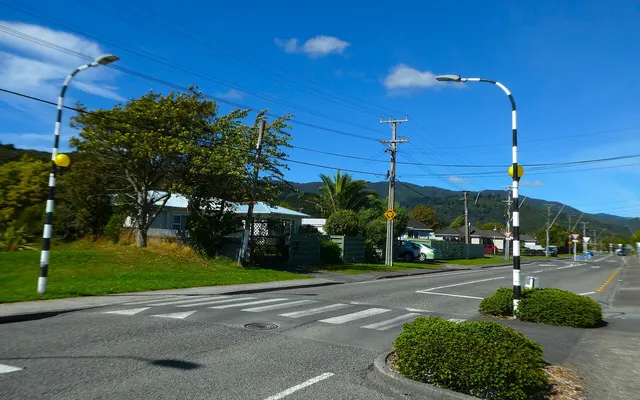
Follow current official travel advice for New Zealand; we do not invent risk scores. In the cities, ordinary caution still applies. Emergency numbers may differ from Canada; confirm them. The more common practical issues are alpine and track weather, river crossings, driving on the left on narrow roads, and underestimating distances. Confirm official track and weather notices. Earthquakes are a known risk; confirm basic safety guidance rather than inventing a plan on the day.
Keep your Canadian line installed for calls and banking texts, set mobile data to the New Zealand eSIM after you arrive, and turn data roaming off on the Canadian line unless you have confirmed a carrier pack. Wi-Fi calling on the Canadian number may work on hotel Wi-Fi; confirm that with your carrier. Share your driving or track plan, and download maps while you still have a signal. A travel eSIM is not travel insurance, is not a mountain beacon, and is not a substitute for official outdoor advice.
What Canadians Should Also Know
- Road trips through national parks pass through long stretches without signal; download offline maps.
Frequently Asked About eSIMs in New Zealand
Will I have signal on the road to a national park?
Country plan or a trans-Tasman regional plan?
How Much Data to Buy for New Zealand
For maps, messaging and bookings, most travellers use roughly 0.25–0.5 GB a day. Add more for video calls, social uploads or using your phone as a hotspot. These figures are a starting point, not a measured study and not a provider quote. Confirm plan sizes on the provider's site.
| Trip | Light use | Moderate | Heavy |
|---|---|---|---|
| 1 week | 2–3 GB | 5 GB | 10 GB+ |
| 2 weeks | 3–5 GB | 10 GB | 20 GB+ or unlimited |
| 1 month | 5–10 GB | 20 GB | Unlimited |
Estimates, not provider figures. Use the compare tool for New Zealand for a personalised estimate.
Step-by-step dual-SIM settings: keep your Canadian number. For a broader look at carrier roaming versus a travel eSIM, see Canadian carrier roaming (confirm current rates in your account; we do not invent prices).
Compare Plans for New Zealand
Confirm price, validity, country list and network on the provider's site before you buy. Order below is fixed; providers cannot pay for position. Until a tracking link is configured, some buttons open an official-site interstitial rather than an earning link. Disclosure.
Opens Yesim in a new tab. We do not have a verified published price for this destination yet. Confirm the live price on the provider's site before you pay. You pay only the eSIM plan price; no carrier roaming charges.
- Yesim View plans
- Saily View plans
- Airalo View plans
- GigSky See Similar Plans at Yesim
- Drimsim View plans
- Holafly See Similar Plans at Yesim
- Nomad See Similar Plans at Yesim
- Maya Mobile See Similar Plans at Yesim
- Ubigi See Similar Plans at Yesim
- aloSIM See Similar Plans at Yesim
Open the compare planner for New Zealand.
Airport Transfers
- Kiwitaxi View offers
- Welcome Pickups View offers
Car Rentals
- Localrent View offers
- GetRentacar View offers
- QEEQ View offers
- Economybookings View offers
Tours and Tickets
- Tiqets View offers
- Klook View offers
- WeGoTrip View offers
Flight Delay Claims
- AirHelp View offers
Flights
- Aviasales View offers
 eSIM for Japan
 eSIM for South Korea
 eSIM for China
 eSIM for Hong Kong
 eSIM for Thailand
 eSIM for Vietnam